
AI Prepares the Evidence, People Decide: What a Good Case File Looks Like
2026-10-06
Executive Summary
- For a decision that needs judgment, most of an authorized person’s time often goes to gathering information: finding the relevant policy, digging through past cases, cross-checking figures. AI can take over that part, provided the boundary holds: AI prepares the file, people decide.
- Good evidence is not just a readable summary. It has six parts: the question to be decided, the relevant rule or policy, the facts of the case with sources, similar cases and their outcomes, the options with their consequences, and what is unknown or points the other way.
- The biggest risk is not that AI lacks information but that the decision-maker follows the file and stops exercising judgment. Research on automation bias shows that users tend to rely on automated suggestions instead of checking for themselves. The mitigation lies in the design of the file and the process, not in a reminder to “be careful”.
- The measure of a good file: the decision-maker decides faster and can still explain the reasoning in their own words.
Introduction
A sales director receives a request from a large customer for a discount beyond what the rule allows. The decision itself is simple: agree or not, and at what level. But to decide, the director needs to know what this customer bought in the past 12 months, how the last three similar discounts ended, what margin remains, and what the current contract says. Gathering all that takes more than an afternoon, and most of it is finding and stitching together information.
The familiar question: can AI do the gathering? Yes, and it is one of the most useful places for AI. But the next question matters more: what kind of file is worth relying on when making the decision?
(This is an illustrative scenario, not a specific customer’s case.)
A Decision Has Three Parts; AI Supports the First Two

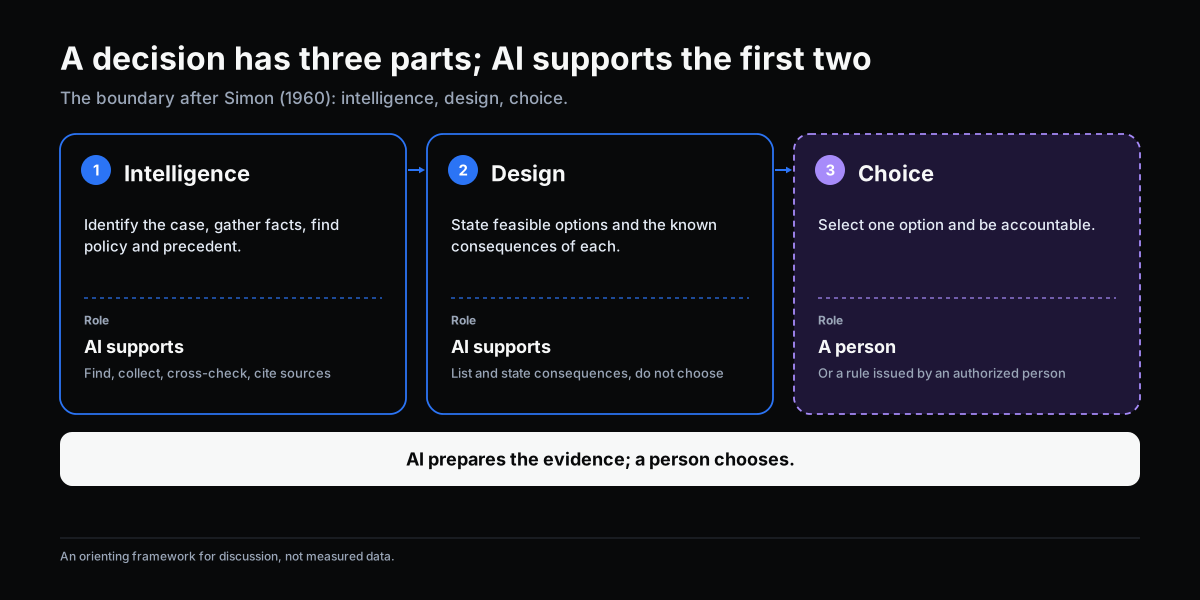
Herbert Simon (1960) described decision-making as three activities: intelligence (recognizing the situation and gathering information), design (forming options) and choice (selecting one). This split draws a clear boundary for AI.
| Activity | What it covers | Can AI help? | Decision authority |
|---|---|---|---|
| Intelligence | Identify the case, gather facts, find policy and precedent | Yes: find, collect, cross-check, cite sources | No |
| Design | State feasible options and the consequences of each | Yes, at the level of listing options and known consequences | No |
| Choice | Select one option and be accountable | No | A person, or a rule issued by an authorized person |
These are also the two jobs set out in Where AI Fits in a Workflow. This article goes deeper into the second: preparing evidence properly.
What a Good Evidence File Contains

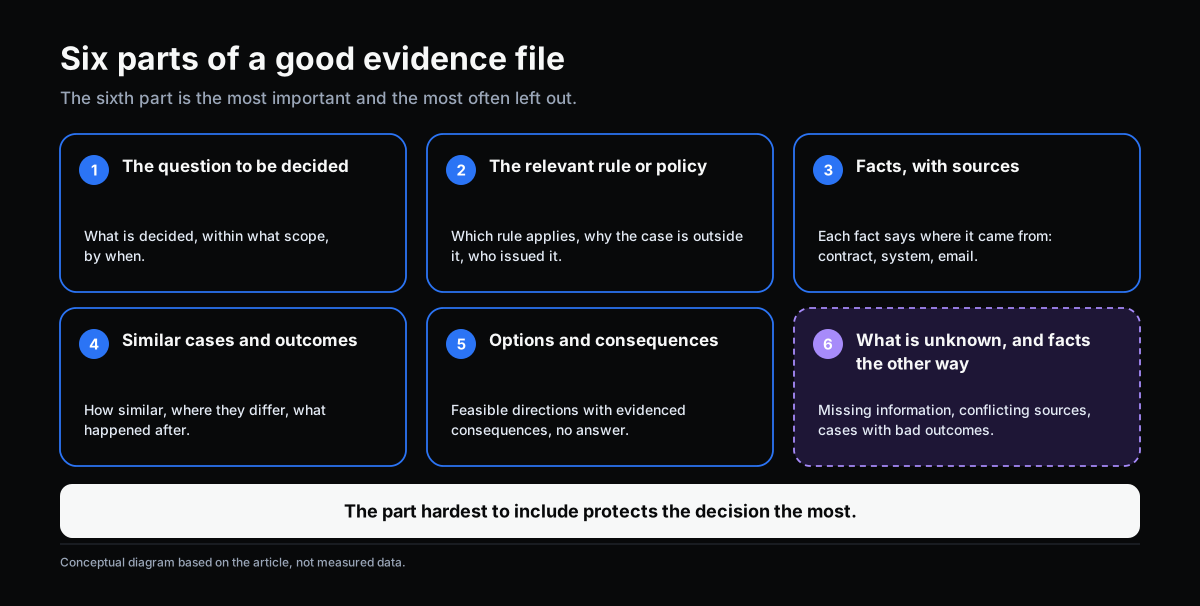
A file that helps the decision-maker, instead of thinking for them, usually has six parts.
1. The question to be decided. State what is being decided, within what scope and by when. A file without a question easily becomes a pile of information.
2. The relevant rule or policy. Which rule applies, why this case falls outside it, and who issued it. The decision-maker needs to know what they are deciding outside of.
3. The facts of the case, with sources. Every fact carries where it came from: which contract, system or email. A fact without a source is not evidence.
4. Similar cases and their outcomes. Not only how they were handled but what happened afterward. State how similar they are and where they differ, because a case that is “alike” in one dimension may differ in the one that matters most.
5. Options and known consequences. List the feasible directions, each with its evidenced consequences. This is where files slide into recommendations; the section below covers how to avoid that.
6. What is unknown, and facts that point the other way. Missing information, conflicting sources, similar cases with bad outcomes. This is the most important part and the one most often left out.
Five Criteria for Judging a File

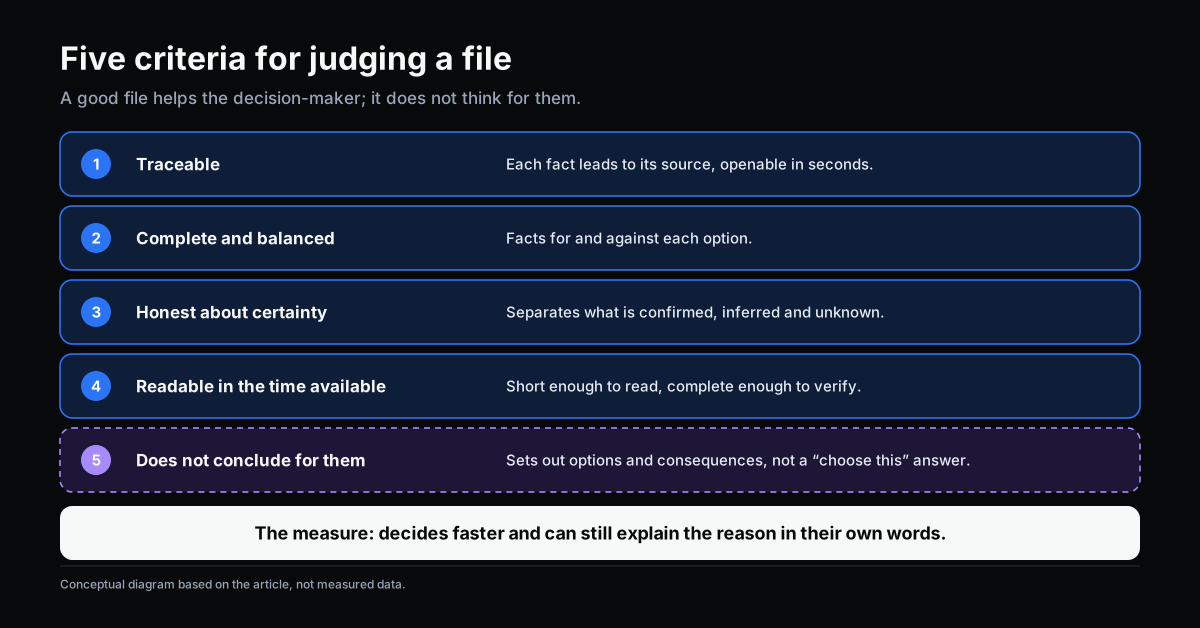
- Traceable. Each fact leads back to its source, and the decision-maker can open that source in seconds.
- Complete and balanced. It holds facts for and against each option. A file with evidence for only one direction is an argument, not a file.
- Honest about certainty. It distinguishes what is confirmed, what is inferred and what is unknown.
- Readable in the time available. Too long and people skim; too short and people cannot verify.
- Does not conclude for the decision-maker. It sets out options and consequences, not “choose this one” as an answer.
The Biggest Risk: People Following the Machine

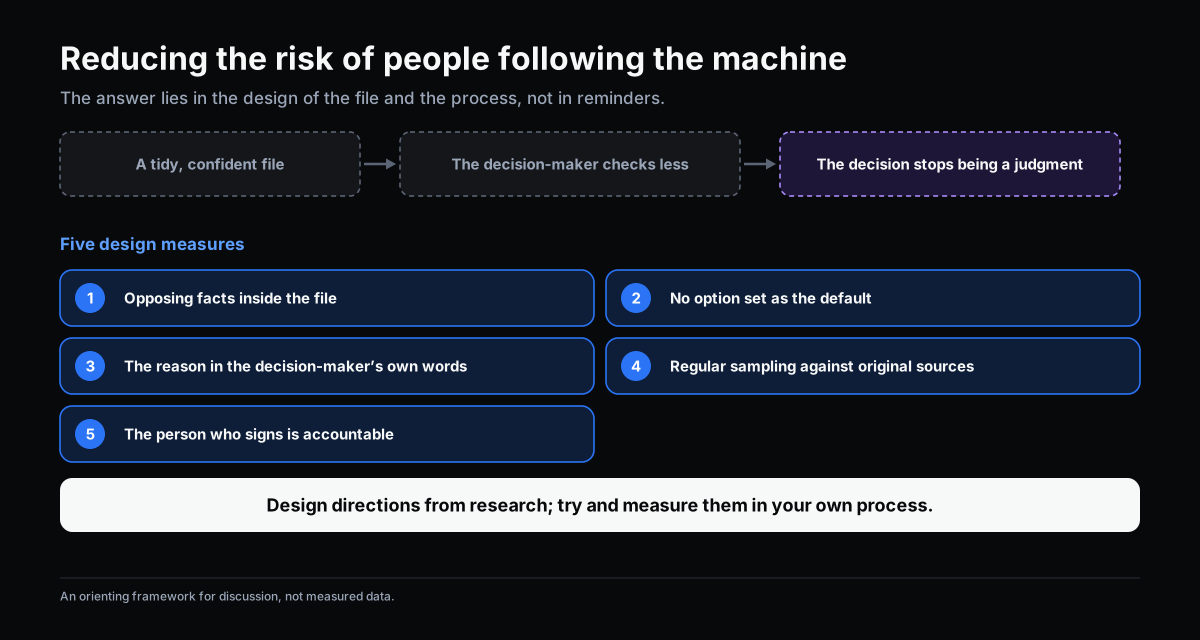
The research literature on human interaction with automation describes automation bias: users tend to rely on suggestions from automated systems and reduce their own search and checking (Skitka et al., 1999; Parasuraman & Manzey, 2010). Parasuraman and Manzey’s review indicates that the effect can occur even in experienced people and is not easily removed by training alone.
For an AI-prepared file, this means a tidy, coherent, confidently presented file is exactly the kind that makes people stop judging. Common design measures:
- Put facts that point the other way inside the file, not in an appendix, so the decision-maker meets them before forming a conclusion.
- Do not set one option as the default or make it more prominent than the others without grounds.
- Require the reason in the decision-maker’s own words, not just a click on “approve”. Having to write the reason forces thinking.
- Sample and audit regularly: compare files against their sources to catch what AI missed or misread, and track how often decision-makers depart from the “easiest” option.
- State plainly who is accountable. The person who signs the decision is accountable, not the file.
These measures are design directions based on research into automation bias, not a formula with quantified effect proven for every company. Try them in one process and measure your own results.
What AI Should Not Do at This Step
- Choose an option and present it as the answer. Even if AI is right most of the time, that design turns the decision-maker into a rubber stamp.
- Use untraceable sources, or cite what cannot be verified. A file with invented facts is the most dangerous kind, because it looks like a good file.
- Drop unfavorable cases to keep the file short.
- Change the rule. If a rule no longer fits, record it as a signal; changing it belongs to the authorized person who issues it, as described in Handling Exceptions in Workflow.
Where the File Sits in the Workflow
The file is not a standalone product. It is the joint between two parts of a workflow: the part that runs under rules, and the part that needs a person. A case outside the rule goes to an authorized person with a file. That person decides, the decision and reason are recorded, and the record becomes precedent for the next file.
This cycle makes files better over time: each recorded decision gives AI one more similar case with a known outcome. But it holds only when decisions are fully recorded, which is why Handling Exceptions in Workflow makes a minimum record a precondition.
Where to Start
- Choose one recurring type of decision where authorized people spend a lot of time gathering information. For example price-exception requests, urgent purchase approvals, returned goods.
- List with the decision-maker what they really need to see to decide. That is the file template for that process.
- Run in parallel: AI prepares the file while people still gather the old way for a few cycles. Compare to see where the file is missing or wrong.
- Measure three things in your own process: time from case arrival to decision, the share of files that need supplementing, and the share of decisions recorded with a full reason.
- Change the way of working only after you have your own numbers.
Self-Check
- For your most recent exception decision, how much time did the decision-maker spend gathering information versus weighing it?
- Does the current file include facts that point the other way, or only information supporting one direction?
- Can every fact in the file be traced to its source?
- Does the decision-maker write the reason in their own words, or just click approve?
- Do you have a way to catch what AI missed or misread, or do you only find out when something goes wrong?
- When a decision is wrong, who is accountable, and is there enough of a trace to learn from?
If three or more make you hesitate, clarify the file template and the decision record before bringing AI into evidence preparation.
Conclusion
AI preparing evidence is one of the clearest ways to create value for decision-makers, because it shortens the gathering and stitching without touching the part that needs judgment. But the value exists only when the file is traceable, balanced, honest about what is unknown, and does not conclude for the decision-maker.
A good file does not make the decision-maker think less. It lets them spend their thinking where it is needed.
Sources
- Simon, H. A. (1960). The New Science of Management Decision. Harper & Brothers. (intelligence, design, choice)
- Parasuraman, R., & Manzey, D. H. (2010). Complacency and bias in human use of automation: An attentional integration. Human Factors, 52(3), 381–410.
- Skitka, L. J., Mosier, K. L., & Burdick, M. (1999). Does automation bias decision-making? International Journal of Human-Computer Studies, 51(5), 991–1006.
- Parasuraman, R., Sheridan, T. B., & Wickens, C. D. (2000). A model for types and levels of human interaction with automation. IEEE Transactions on Systems, Man, and Cybernetics – Part A, 30(3), 286–297.
Related Articles
- Where AI Fits in a Workflow: Interpreting Input and Preparing Evidence
- Handling Exceptions in Workflow: When No Rule Covers the Decision
- Rule or Human Judgment: Which Workflow Decisions to Automate
- Classification and Routing in Workflow: AI Reads the Content, Rules Decide the Route
Does this describe your organization?
Does this sound familiar to your organization?