
Where AI Fits in a Workflow: Interpreting Input and Preparing Evidence
2026-09-23
Executive Summary
- “Should we add AI to this workflow?” usually gets answered too early, with a specific product. A better question: at each stage of the information-processing chain, who holds decision authority: a rule, AI, or a person?
- Parasuraman, Sheridan and Wickens (2000) break a processing chain into four stages: information acquisition, information analysis, decision selection, and action implementation. Each stage can be supported to a different degree.
- In an enterprise workflow, AI does two things: it interprets unstructured input so rules can run, and it prepares evidence so people can judge faster and on firmer ground. AI does not create a third layer of judgment.
- Decision authority belongs to rules (issued by authorized people) or to people. Two criteria help decide which steps go to rules and which stay with people: how reversible the action is and how certain the input data is.
Introduction
Many “AI in workflow” conversations at the COO/CIO level start and end with a vague question: “should we add AI to process X?” It is hard to answer because it lumps several very different jobs into one concept.
A real process is not one block. It is a series of small steps: receive information, understand what it says, decide what to do, then act. At which step AI should take part, and what it should do there, are two separate questions. This article answers both using a framework with academic grounding, and draws a clear line between three parties: rules, AI and people.
The Four Stages of an Information-Processing Chain

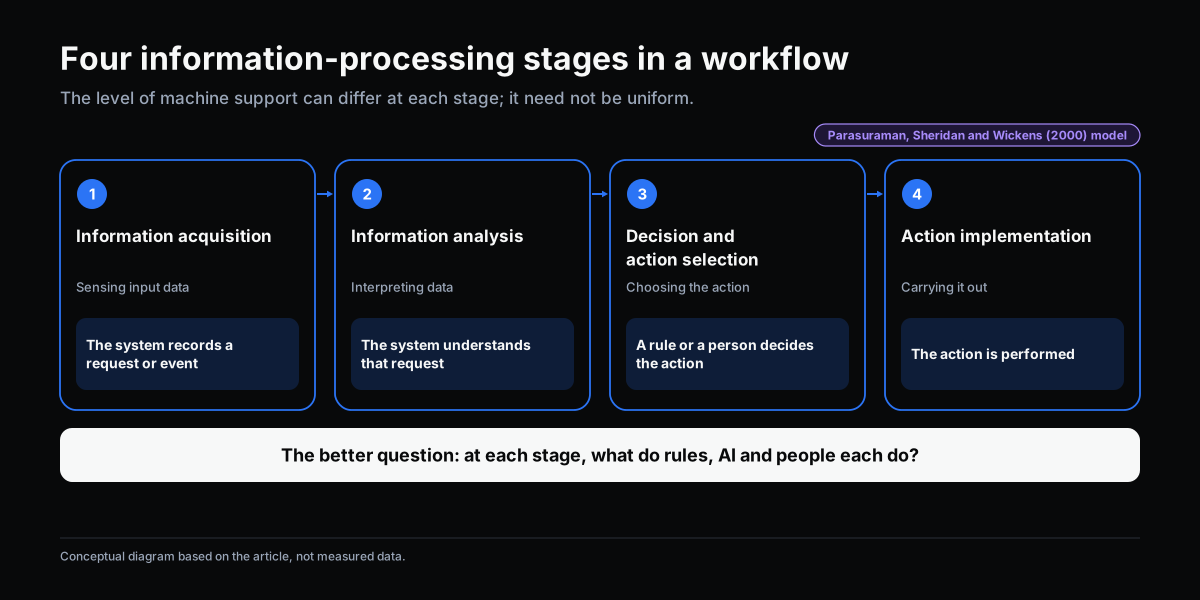
The model by Parasuraman, Sheridan and Wickens (2000), published in IEEE Transactions on Systems, Man, and Cybernetics – Part A, is among the most widely cited frameworks in human-machine interaction and automation research. It divides a processing chain into four stages:
- Information acquisition: capturing input data from various sources.
- Information analysis: synthesizing and interpreting the data to understand what it means.
- Decision and action selection: weighing options and choosing an action.
- Action implementation: carrying out the chosen action.
The key insight: the level of machine support does not need to be, and should not be, the same across all four stages. A chain can support acquisition heavily, support analysis moderately, and leave selection to people.
In an enterprise workflow, the four stages read like this: the system captures a request or event, the system understands that request, a rule or a person decides on an action, and the action is carried out.
AI Does Two Things: Interpret Input and Prepare Evidence

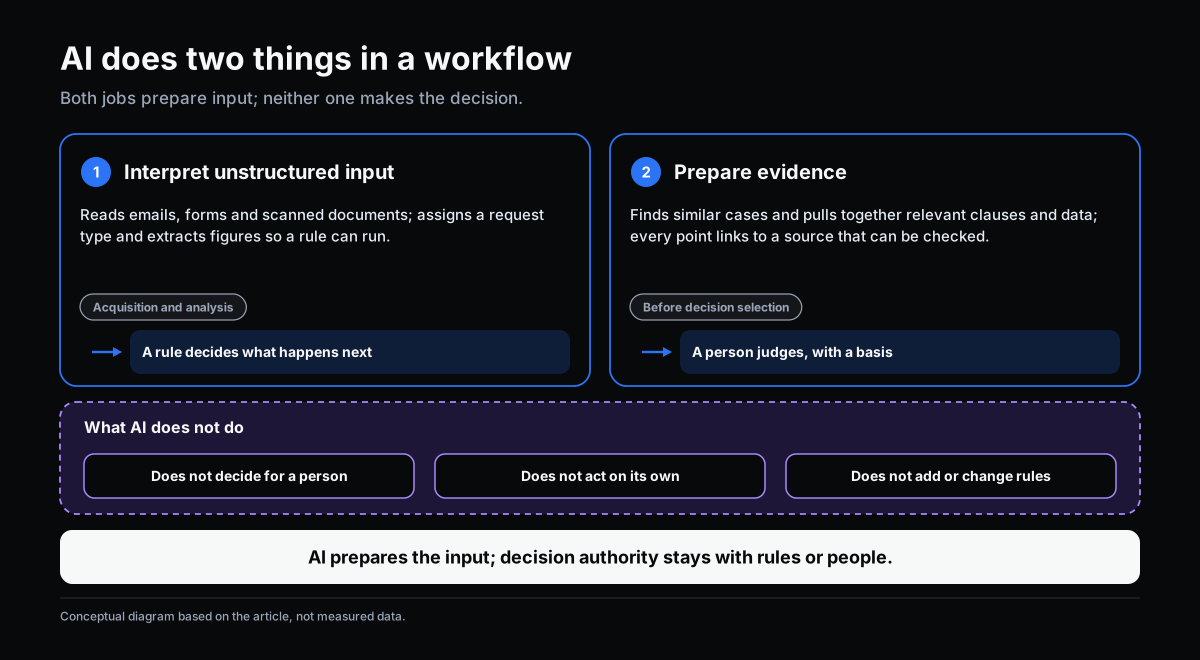
Place AI on those four stages and its role comes down to two jobs.
1. Interpret unstructured input so rules can run
Rules need structured input: request type, priority, a value compared against a threshold. Real work arrives as emails, messages, handwritten forms and scanned documents. AI reads these inputs and converts them into a form a rule can use: it assigns a request type, extracts figures, identifies the relevant department. Classification, and forwarding based on that classification, belong here. Once the input is structured, a rule decides where the request goes, not the AI.
The corresponding stages are acquisition and analysis. The main risk is misinterpretation. A mistake here usually causes delay, because a person reviewing the result can correct it.
2. Prepare evidence for human judgment
For new or high-consequence decisions, people must judge. AI does not replace them there. It does the work that comes before judgment: finding similar cases in precedent, pulling together relevant clauses and data, noting what is unusual about this case. The person judging receives a compact file instead of searching from scratch.
That file must be verifiable: each point links to a specific source the decision-maker can open and check. It does not come with a “do this” conclusion presented as an instruction.
What AI does not do
- AI does not make the decision for a person at the selection stage.
- AI does not carry out an action unless a rule that has been issued allows it, or a person confirms it.
- AI does not add or change rules. Rules change only through issuance by an authorized person (see Rule or Human Judgment: Which Workflow Decisions to Automate).
A note on the label “AI recommends an action.” If a system points to a specific action without evidence the reader can check, in practice it is nudging people toward acceptance. The design should show the basis before it shows the conclusion.
The Boundary: Rules, AI and People at Each Stage

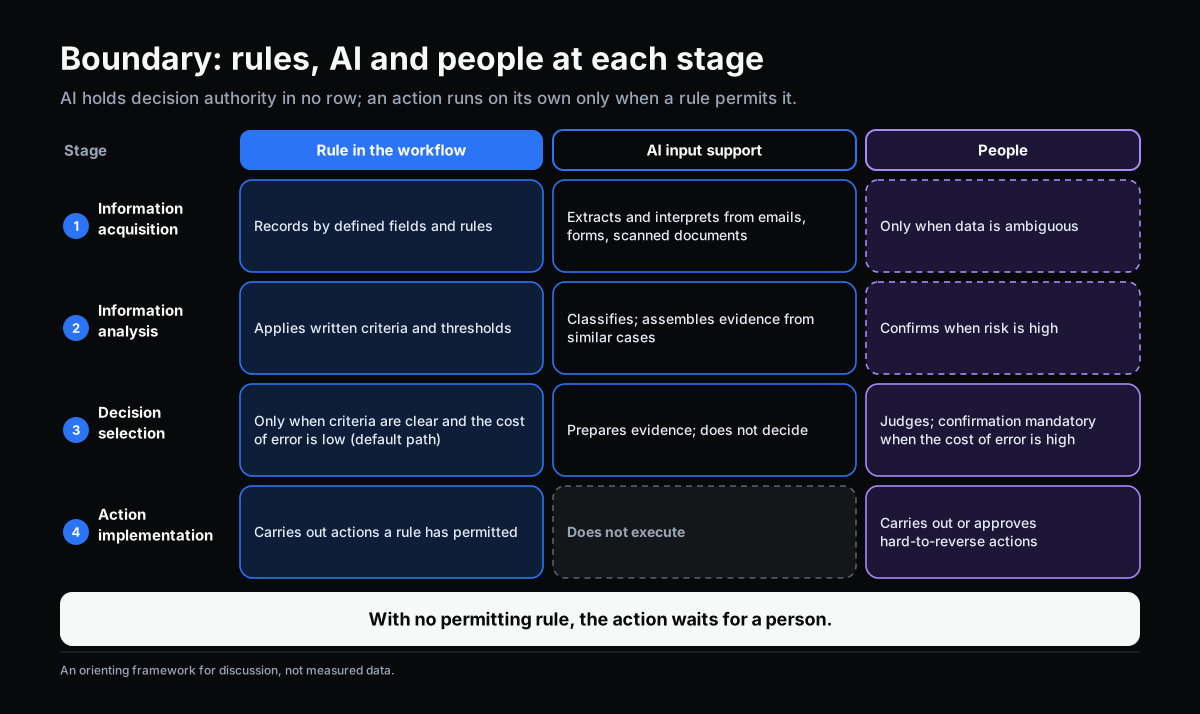
The table below is a discussion tool for deciding who is responsible at each stage. It is an orienting framework, not measured data.
| Stage | Rule in the workflow | AI input support | People |
|---|---|---|---|
| Information acquisition | Records by defined fields and rules | Extracts and interprets from emails, forms, scanned documents | Only when data is ambiguous |
| Information analysis | Applies written criteria and thresholds | Classifies; assembles evidence from similar cases | Confirms when risk is high |
| Decision selection | Only when criteria are clear and the cost of error is low (default path) | Prepares evidence; does not decide | Judges; confirmation mandatory when the cost of error is high |
| Action implementation | Carries out actions a rule has permitted | Does not execute | Carries out or approves hard-to-reverse actions |
Two things to notice when reading the table:
- The AI column holds decision authority in no row. AI appears in the first two rows so rules can run, and in row three so people can judge with a basis.
- An action runs automatically only when a rule permits it. That rule was issued by an authorized person and has an owner who reviews it. With no permitting rule, the action waits for a person.
Two Criteria for Deciding What Goes to Rules and What Stays With People

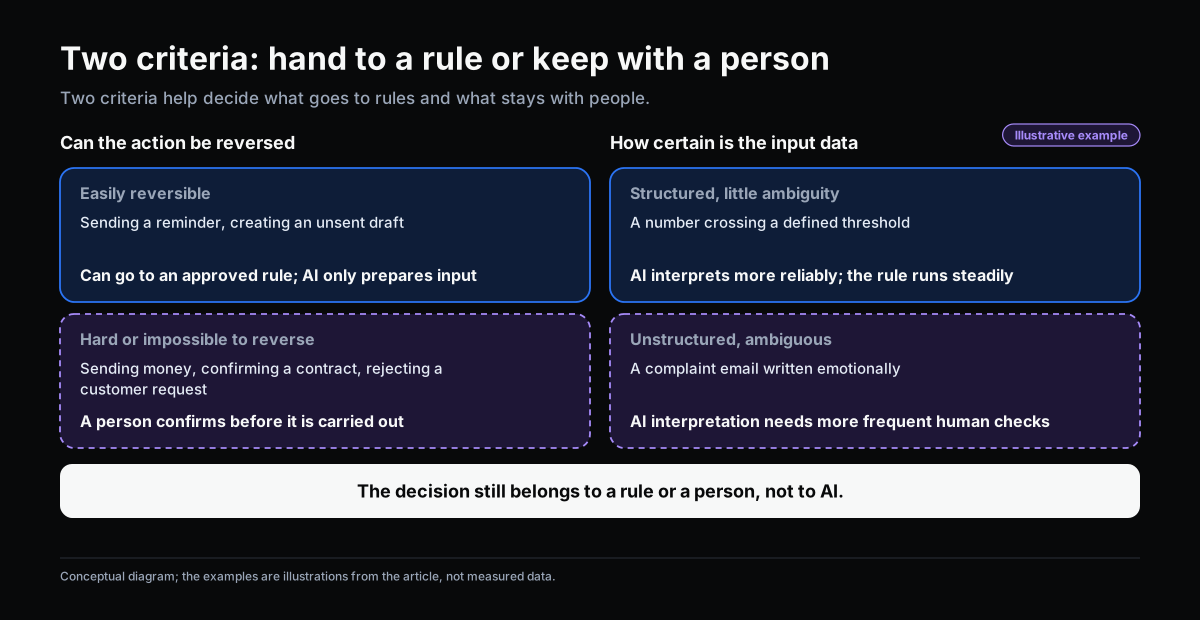
There is no universal answer for every workflow. Two criteria help decide each step.
How reversible the action is
An easily reversible action, such as sending a reminder or creating a draft that has not been sent, can be given directly to a rule, as long as an authorized person has approved that rule. AI only prepares the input for it.
A hard-to-reverse or irreversible action, such as transferring money, confirming a contract or declining a customer’s request, should have a person confirm it before it is carried out.
How certain the input data is
With structured, low-ambiguity data (a number crossing a defined threshold), AI interpretation is more dependable and the rule runs steadily. With unstructured data or data that needs context (an emotionally worded complaint email), AI’s interpretation needs more frequent human checking. The decision still belongs to a rule or a person, not to AI.
A caution from the original model

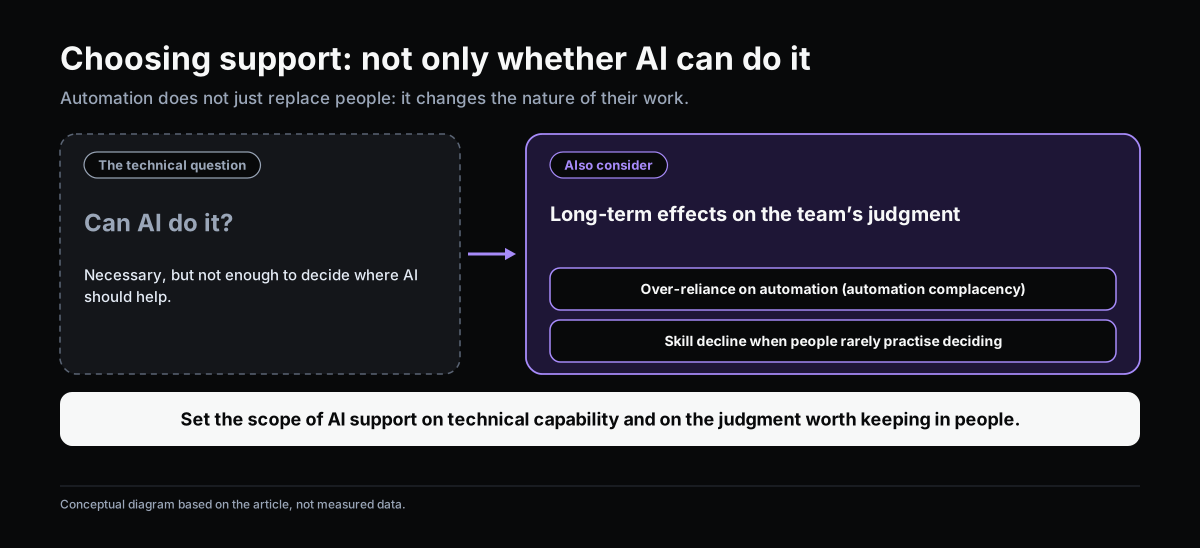
Parasuraman and colleagues point out that automation does not just replace people. It changes the nature of their work. Consequences can include automation complacency and skill decay when people rarely make decisions themselves. So the choice of support level should not rest only on “can AI do this?” It should also weigh the long-term effect on the team’s judgment.
A Framework for Bringing AI into a Workflow

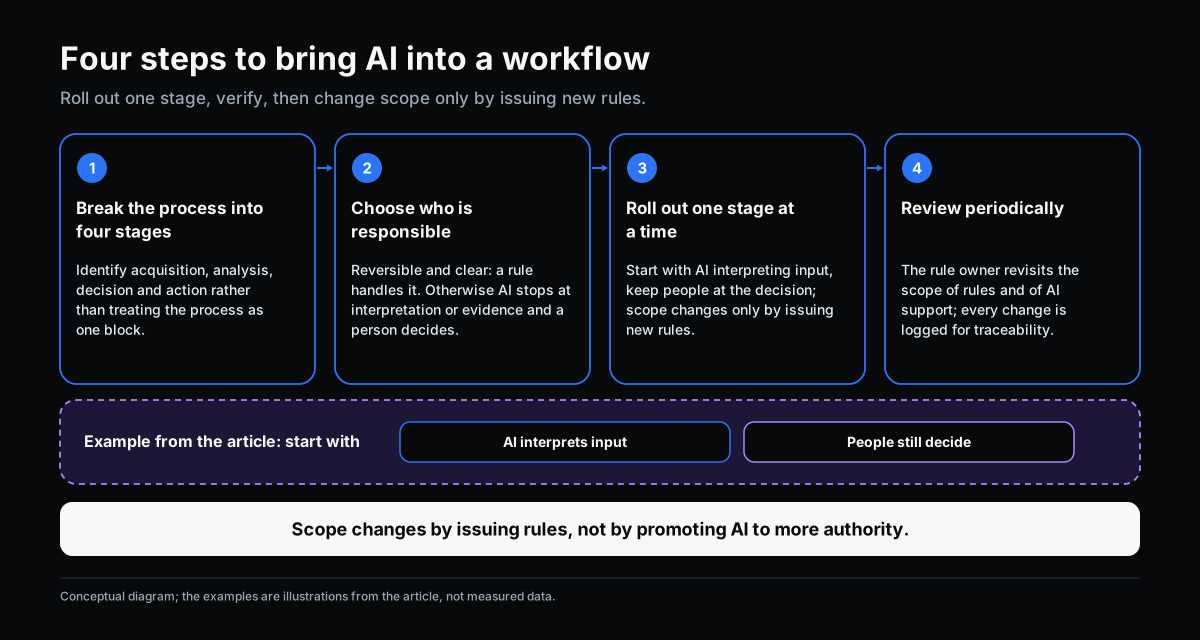
Step 1. Break the process into the four stages. Identify what counts as acquisition, analysis, decision and action, instead of treating the process as one block.
Step 2. For each stage, assess reversibility and data certainty to decide who is responsible.
- Reversible action and clear data: a rule handles it directly. AI only interprets the input if it is unstructured.
- Hard-to-reverse action or ambiguous data: AI stops at interpretation or evidence preparation, and a person confirms or decides.
Step 3. Roll out one stage at a time, not the whole process at once. For example, start with AI interpreting and classifying incoming requests, and keep people at the decision stage for the first few months to verify interpretation accuracy. The scope then changes only by issuing new rules through a process with a named approver, not by “promoting” AI to more authority.
Step 4. Set up periodic review. The scope of rules and the scope of AI support need to be reviewed over time by the person responsible (the rule owner): when exceptions rise unusually, when complaints after processing increase, when the environment changes. Every change is logged so it can be traced.
Self-Check: Where Does Your Workflow Place AI?
If you answer “yes” to three or more, the boundary between rules, AI and people in your process may be unclear.
- Is there a step where AI output is used directly as the decision, with no one reviewing it?
- Does the system carry out any hard-to-reverse action without you being able to name the rule that permits it?
- Can the person reading AI output see the basis (sources, precedents) before they see the conclusion? If not, answer “yes” to this question.
- Has any rule been changed without a record of who approved it and why?
- If the person responsible for a step is out for a week, do you know where the decisions at that step are going?
Conclusion
“AI in workflow” is not a yes-or-no question. The right question is: at each stage, who holds decision authority, and how can AI help that party?
AI does two things well: it interprets input so rules can run, and it prepares evidence so people can judge faster and on firmer ground. Decision authority stays with rules issued by authorized people, or with people themselves. A mature organization is not one that hands more authority to AI. It is one that knows exactly which party owns each step.
Sources
- Parasuraman, R., Sheridan, T. B., & Wickens, C. D. (2000). A model for types and levels of human interaction with automation. IEEE Transactions on Systems, Man, and Cybernetics – Part A, 30(3), 286–297.
- Simon, H. A. (1960). The New Science of Management Decision. Harper & Brothers.
Related Articles
- Rule or Human Judgment: Which Workflow Decisions to Automate
- From Request-Approval to Event-Action Workflow
Does this describe your organization?
Does this sound familiar to your organization?