
Your Workflow Is Already Fast. Here's What the Next Level Looks Like.
2026-09-23
There’s a group of companies quite different from the ones the earlier articles in this series usually address. These are companies that have already gotten most of it right: workflow is carefully designed, it doesn’t depend too heavily on a handful of individuals, it rarely stalls waiting for a person, and employees no longer need a personal spreadsheet to track progress.
If that’s you, the right question isn’t “how do we stop being slow” anymore. It’s: “this is good — but can it be better, and better in what way?”
Few companies ask this question, because “workflow is running fine” tends to feel like a resting point, not a place to keep improving. But the moment everything is stable is exactly the best time to look further ahead — before a competitor or a market shift forces the question under pressure.
→ Related: Workflow Automation vs. Intelligent Workflow: Why They’re Not the Same
When Workflow Is Already Good Enough

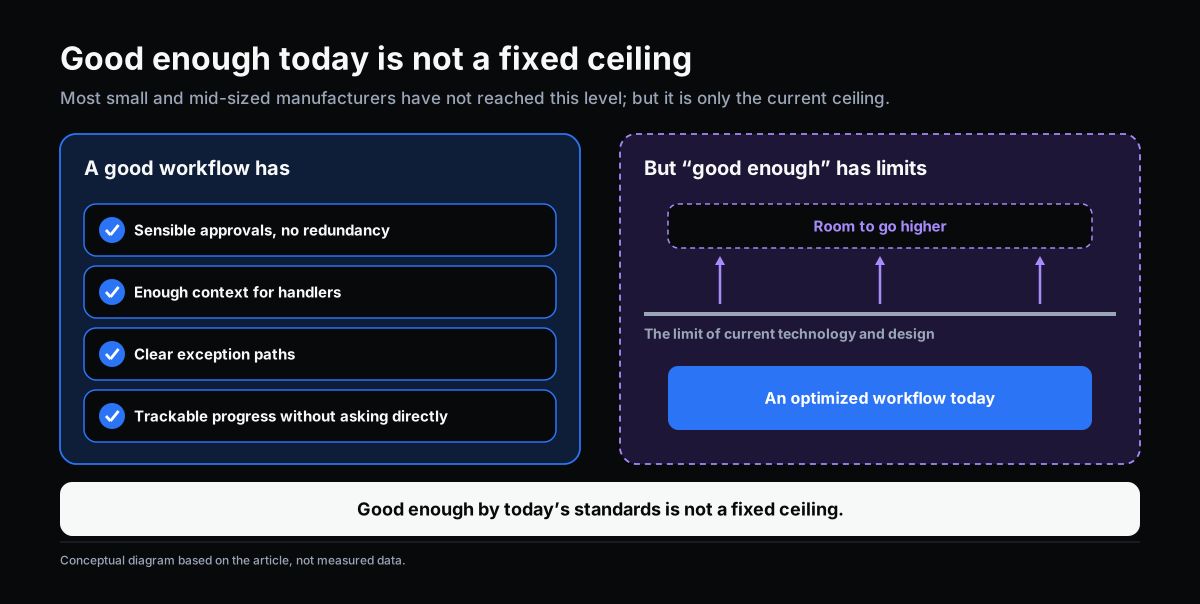
A “good enough” workflow usually has these traits: approval steps that are sensible and not redundant; people handling each step with enough context; a clear path for exceptions instead of them falling outside the system; and progress that’s easy to check without asking anyone directly.
Reaching this point is a real achievement — most small and mid-sized manufacturers haven’t gotten there yet. But “good enough” by today’s standard isn’t a fixed ceiling. It’s just the top of what a particular generation of technology and design can deliver.
Hidden Limits That Remain

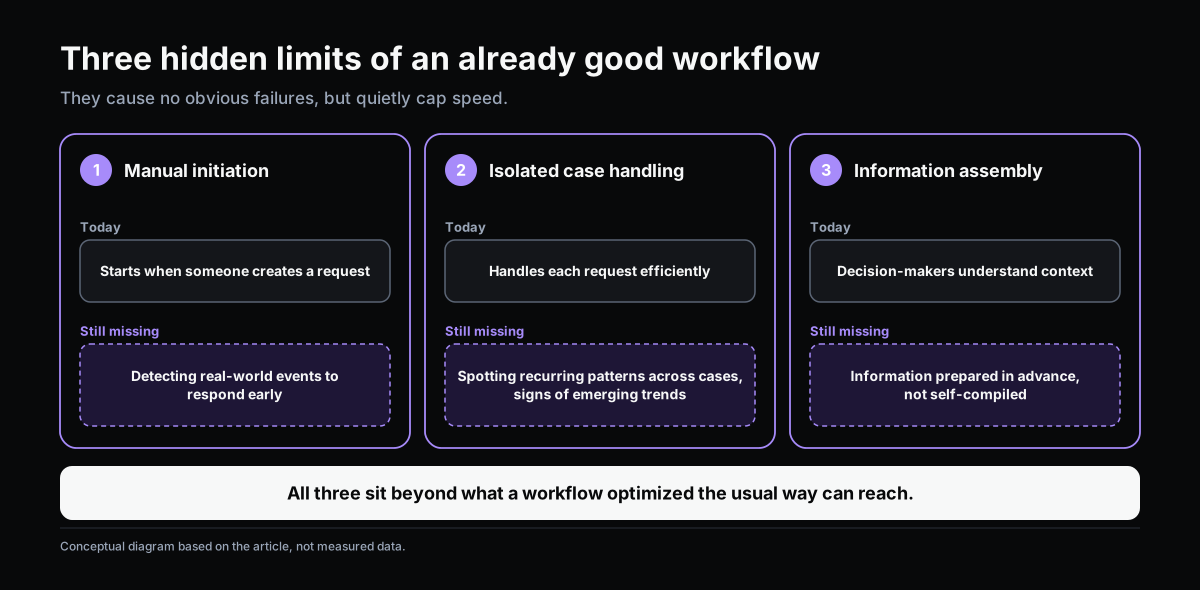
Even a well-designed workflow usually carries a few limits that are hard to notice, because they don’t cause a visible failure — they just quietly cap speed at a certain level:
- It still needs a person to start it. Even when it runs smoothly, the workflow only begins once someone creates a request. It doesn’t yet detect a real-world event (an abnormal metric, a threshold crossed) and start itself before someone notices there’s a problem.
- It still handles each case in isolation. A good workflow processes a single request quickly, but it rarely recognizes a recurring pattern across many requests — the same type of issue showing up with three different customers in one month, for instance — in a way that flags an early trend instead of just handling each case one at a time.
- It still needs a person to pull information together before deciding. The approver has context, but still has to read and synthesize it themselves before deciding. That’s work that could be prepared in advance.
None of these limits make the workflow “bad” — they simply represent the natural ceiling of a well-designed workflow that still operates in the traditional way: waiting to be started, handling one case at a time, relying on a person to pull the picture together.
The Next Layer of Workflow Speed

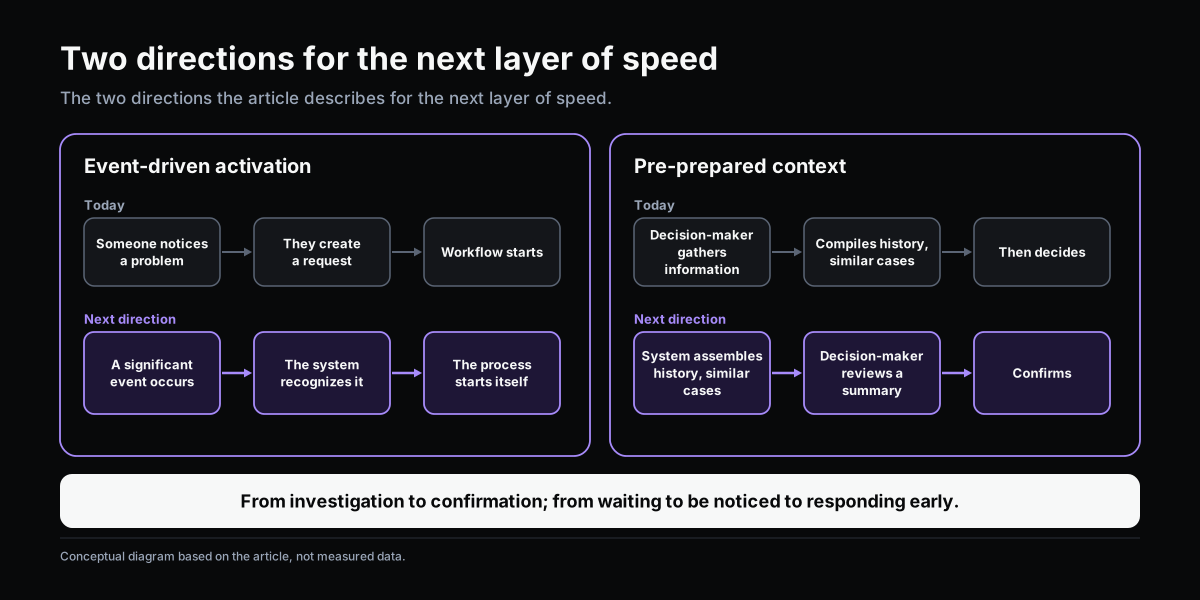
The next layer doesn’t come from adding more approval steps or tighter process control — if anything, it comes from reducing how often a person needs to start or manually assemble something. Two directions stand out:
Reacting to events instead of waiting to be manually started. When a system can recognize a notable event on its own and kick off the right process before someone has to spot it first, response time stops depending on whether someone happened to notice.
Preparing context before a person needs to decide. Instead of the approver assembling information themselves, the system can prepare it in advance — related history, similar past cases, a short summary — so deciding becomes a matter of confirming, not investigating from scratch.
Neither direction requires giving up human control over important decisions — they simply cut out the preparation and detection work, which takes time but adds little real judgment.
→ Related: Next-Generation Workflow: When AI and Organizational Knowledge Change How Work Operates
A Self-Check

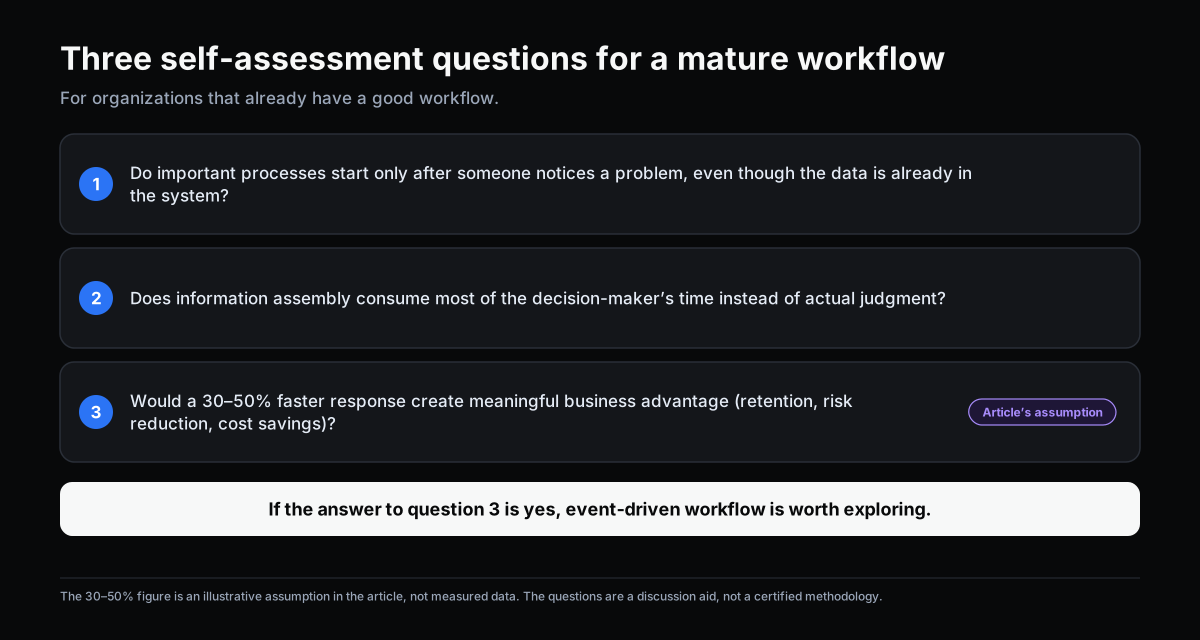
If your workflow is already “good enough,” three questions help determine whether it’s worth investing in another layer:
- Is there an important process that only starts once a person notices a problem, even though the data needed to detect that problem already exists in the system?
- Is the decision-maker spending most of their time assembling information, rather than actually weighing it and deciding?
- If response time for a specific process were 30–50% faster, would that create a real business difference — keeping a customer, reducing risk, saving cost?
If the answer to question 3 is yes, that’s a sign worth exploring event-driven workflow further — the natural next step once a well-designed workflow is already in place.
This article is part of a series on workflow, AI adoption, and operational management for manufacturing SMEs.
Related articles:
- Workflow Automation vs. Intelligent Workflow: Why They’re Not the Same
- You Have Workflow. Why Is Work Still Moving Slowly?
- Next-Generation Workflow: When AI and Organizational Knowledge Change How Work Operates
→ Complete the Digitalization Readiness Assessment
Does this describe your organization?
Does this sound familiar to your organization?