
Event-Driven Workflow: How Systems Can Detect Events and Start Work Automatically
2026-09-23
Executive Summary
- Most workflow today is request-based: it only starts once a person creates a request. Event-driven workflow reverses that logic — the system detects that something happened and starts the right process on its own.
- The concept of event-driven architecture (EDA) was defined early on by Gartner and academia (Chandy & Schulte, 2007): an architecture style built around an asynchronous messaging model, well suited to implementing multi-stage, “straight-through” business processes with minimal delay.
- Gartner listed the event-driven model among its top technology trends in 2018, emphasizing the “sense and respond” capability — reacting quickly to changing conditions — rather than only processing on a schedule or on request.
- Not every event is worth triggering a workflow. Picking the wrong events usually creates noise, not value.
- Event-driven workflow only becomes viable once a company already has decent process readiness and data readiness. It’s a destination, not a starting point.
The previous article in this series covered the human bottleneck — workflow stalling because it’s waiting on a person to start or decide something. One way to solve this at the root isn’t finding more backup people. It’s changing what actually starts the workflow.
Most workflow today runs on this model: someone creates a request, and the system begins processing it. That’s a reasonable approach in many cases — but it also means the organization’s response speed always depends on someone noticing the problem and reporting it. If nobody notices, or notices late, the workflow starts late too.
Event-driven workflow takes a different approach: instead of waiting for a person, the system detects that an event has occurred — in the data or in real-world operations — and starts the right process on its own.
→ Related: Your Workflow Is Already Fast. Here’s What the Next Level Looks Like.
Request-Based vs. Event-Driven

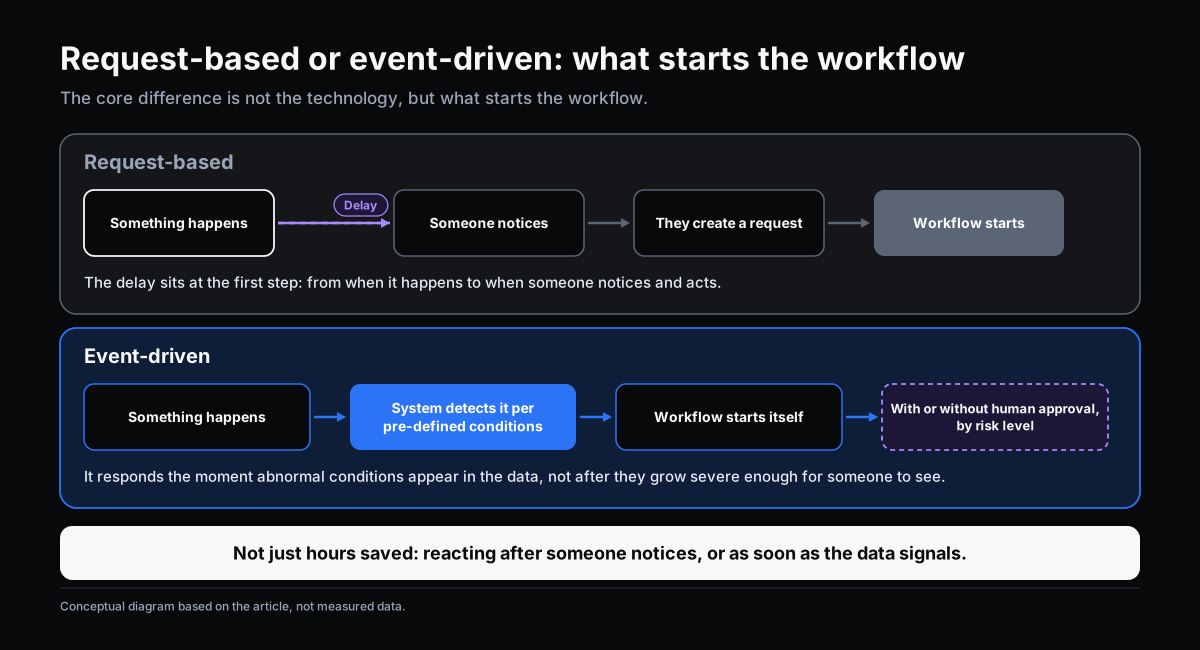
The core difference between the two models isn’t the technology — it’s what actually starts the workflow.
In the request-based model, the causal chain runs: a person notices something needs attention → they create a request → the workflow starts running. The delay sits in that first step — the time between when the situation actually occurs and when someone notices and acts.
In the event-driven model, the chain runs: an event occurs in the system or in operations → the system detects it based on pre-defined conditions → the workflow starts itself, with or without human confirmation depending on the risk involved.
As Chandy (Caltech) and Schulte (Gartner) put it back in 2007, event-driven architecture (EDA) is an architecture style built around an asynchronous, “push”-based communication model, seen as the architecture of choice for implementing multistage, “straight-through” business processes that deliver goods, services or information with minimum delay. The two authors also emphasized “sense and respond” — the ability to react quickly to changing conditions — as the core value of this approach.
The gap between these two models isn’t just a few hours saved. It’s the difference between an organization that reacts after a problem becomes serious enough for someone to notice, and one that reacts the moment an abnormal condition shows up in the data.
What Kinds of Events Can Trigger Workflow

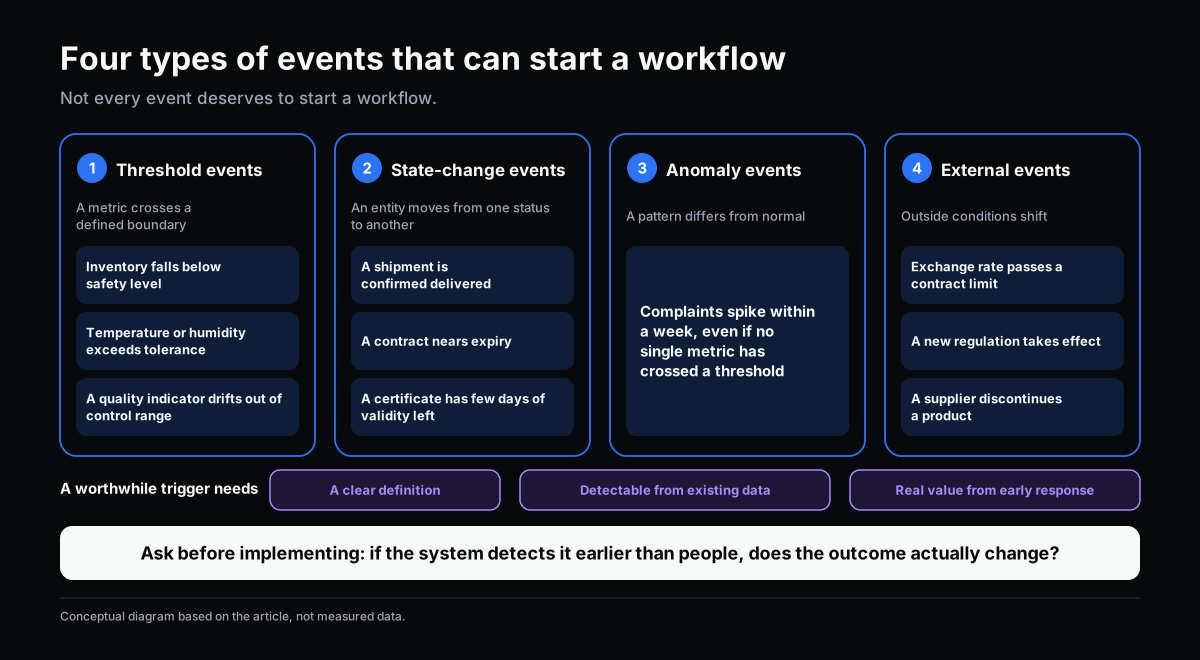
Not everything that happens in a business deserves to be treated as an “event” worth triggering a workflow. A worthwhile triggering event needs three properties: it can be clearly defined, it can be detected from data already available, and reacting to it early creates real value.
Common event types in a manufacturing SME:
- Threshold events: a metric crosses a defined limit — inventory drops below a minimum, temperature or humidity exceeds a permitted range, a quality measurement drifts outside a control band.
- State-change events: an entity moves from one status to another — a shipment gets confirmed as delivered, a contract enters “expiring soon,” an ISO certificate has fewer than 30 days of validity remaining.
- Anomaly events: a pattern that differs from normal — a spike in complaints from one customer within a week, even though no single metric has crossed a threshold on its own.
- External events: a currency movement exceeding a contractual limit, a new regulation taking effect, a supplier announcing they’re discontinuing a product line.
For each type, the question to answer before implementing is: if the system detected this event hours or days earlier than a person would, would that actually change the outcome? If the answer is no — for instance, an event that, even if caught early, nobody could act on any faster for unrelated reasons — investing in early detection isn’t worth much.
Applications in Manufacturing and Operations

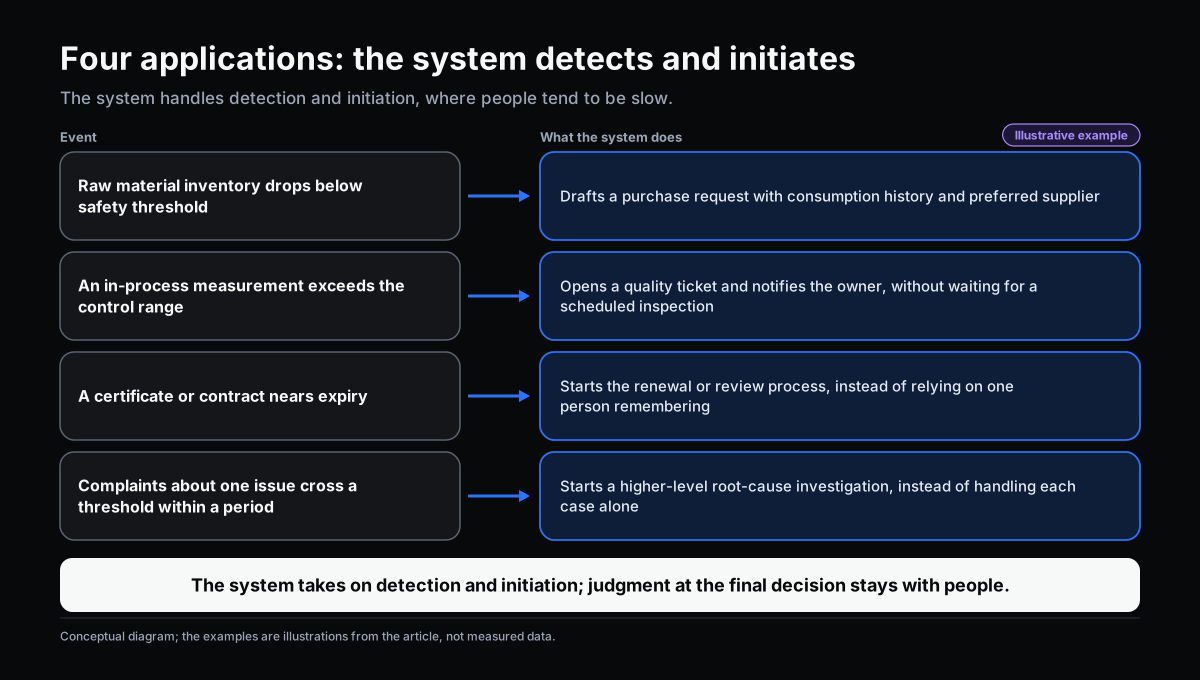
A few concrete examples for a manufacturing SME, illustrating how event-driven workflow can work in practice:
Inventory management. When a raw material’s stock drops below a defined safety threshold, the system automatically drafts a purchase request, with consumption history and the usual supplier attached — instead of waiting for the warehouse manager to notice and report it.
Quality monitoring. When a process measurement (temperature, pH, humidity) exceeds an established control range, the system automatically opens a quality check ticket and notifies the relevant person, instead of waiting for the next scheduled inspection.
Contract and compliance management. When a certificate or contract is within a defined number of days of expiring, the system automatically starts a renewal or review process, instead of relying on someone remembering and tracking a manual calendar.
Complaint pattern detection. When the number of complaints about the same issue crosses a threshold within a given period, the system automatically opens a higher-level root-cause investigation — instead of handling each complaint as an isolated case and missing the shared pattern.
What all four examples have in common: the system doesn’t replace human judgment at the final decision point — it only takes over the part of detecting and initiating early, work that people typically do slower because they have to notice, remember, or piece it together themselves.
→ Related: Workflow Depends Too Much on People: The Design Problem Behind Every Bottleneck
Prerequisites for Implementation

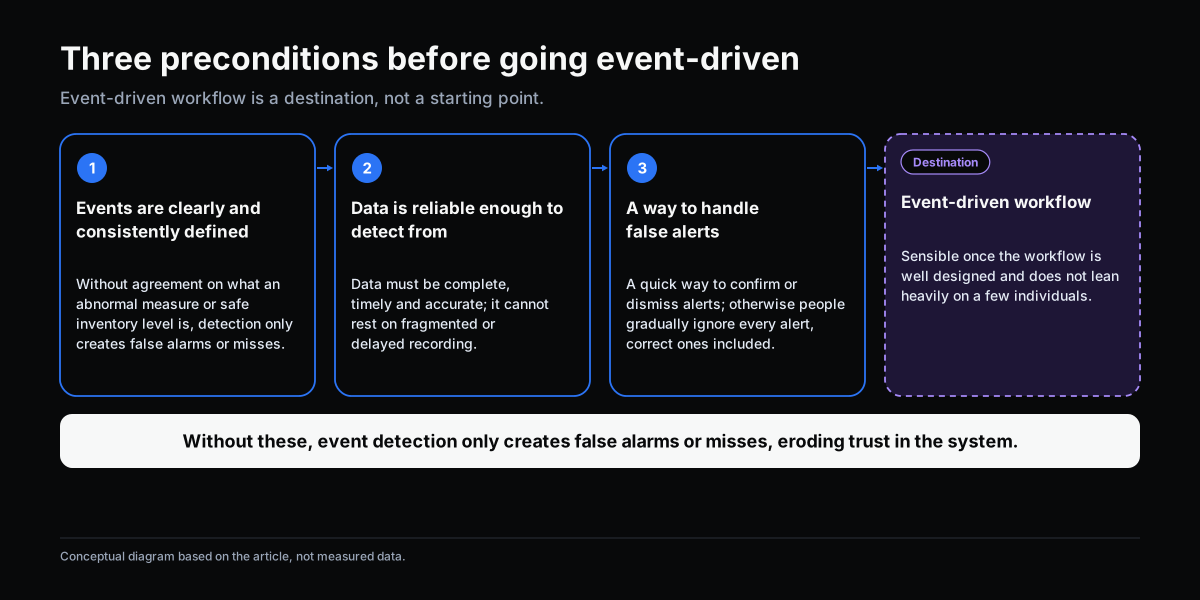
Event-driven workflow isn’t a sensible starting point for every company. There are three prerequisites:
1. Events need to be clearly and consistently defined. If the organization hasn’t agreed on “what counts as an abnormal quality measurement” or “what the safe inventory threshold actually is,” deploying event-detection technology will only generate false alarms or missed events — either one erodes trust in the system.
2. Data needs to be reliable enough to serve as the detection basis. An event can only be detected if the relevant data is captured completely, at the right time, and with enough accuracy. This is why event-driven workflow is usually only viable once a company already has a decent process and data readiness foundation — it can’t be built on top of a process that still records things inconsistently or with a lag.
3. There needs to be a mechanism for handling false positives. No event-detection system is perfectly accurate. If the organization has no reasonable way to handle false alarms — a process to quickly confirm or dismiss an inaccurate alert, for example — people will gradually start ignoring all alerts, including the correct ones.

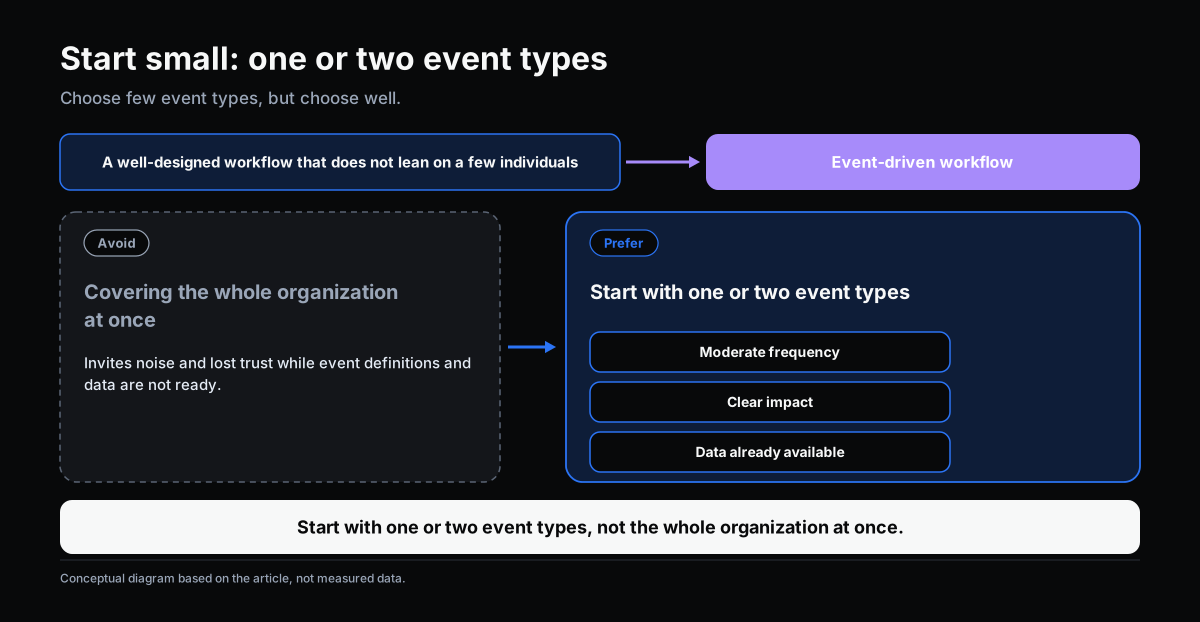
A sensible rollout path is to start with one or two event types that occur at a moderate frequency, have a clear impact, and already have available data — rather than trying to cover the whole organization at once.
Conclusion
Event-driven workflow isn’t a single technology feature — it’s a shift in how an organization answers the question “when should work start?” Instead of depending on someone noticing a problem, the organization lets the data itself signal when action is needed. That’s a sensible next step once workflow is already well-designed and doesn’t depend too heavily on a few individuals — not the first thing to attempt.
This article is part of a series on workflow, AI adoption, and operational management for manufacturing SMEs.
Related articles:
- Your Workflow Is Already Fast. Here’s What the Next Level Looks Like.
- Workflow Depends Too Much on People: The Design Problem Behind Every Bottleneck
- Next-Generation Workflow: When AI and Organizational Knowledge Change How Work Operates
→ Complete the Digitalization Readiness Assessment
Does this describe your organization?
Does this sound familiar to your organization?